
Technical SEO conversations can turn into an alphabet soup fairly quickly — crawl budget, canonical tags, Core Web Vitals, schema markup, hreflang, robots.txt — and for anyone who isn’t living inside search console dashboards every day, it’s easy to nod along without a clear picture of what these terms actually mean or why they matter. That gap in vocabulary isn’t a minor inconvenience. Technical SEO decisions genuinely affect how well a website performs in search, and understanding the terminology is often the first real step toward understanding the underlying strategy well enough to make informed decisions about a website, rather than simply trusting a vendor’s report without being able to evaluate it.
This article works through the core vocabulary of technical SEO, organized by category, explaining not just what each term means but why it matters in practice.

Crawling and Indexing: How Search Engines Discover Content
Before a page can rank for anything, it has to be found, read, and stored by a search engine — a process governed by a specific set of terms.Core Terms in This Category
- Crawling — the process by which search engine bots (often called “spiders” or “crawlers”) systematically browse the web, following links from page to page to discover content.
- Indexing — the process of storing and organizing discovered content in a search engine’s database, so it can later be retrieved and displayed in response to relevant search queries. A page can be crawled without being indexed, if the search engine decides not to add it to its index for some reason.
- Crawl budget — the finite amount of time and resources a search engine allocates to crawling a given website, particularly relevant for very large sites where not every page may get crawled as frequently as the site owner would like.
- Robots.txt — a text file placed at a website’s root directory that gives instructions to search engine crawlers about which parts of a site should or shouldn’t be crawled.
- Noindex tag — a meta tag instruction telling search engines not to include a specific page in their index, even if it’s crawlable — commonly used for pages like internal search results or duplicate content variations that shouldn’t compete for rankings.
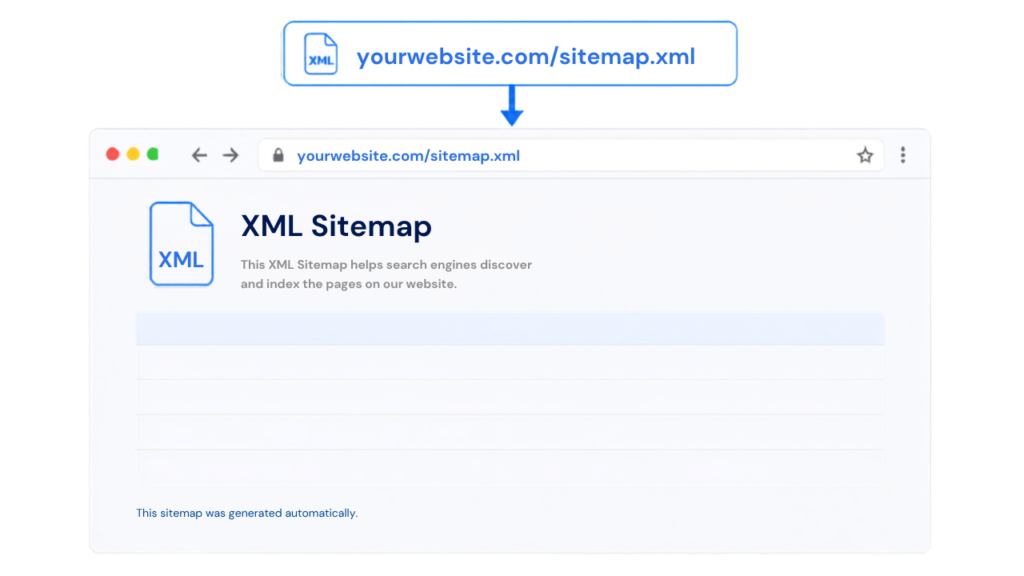
- XML sitemap — a structured file listing a website’s important pages, submitted to search engines to help them discover and understand a site’s structure more efficiently, particularly useful for larger or more complex sites.
Why This Category Matters in Practice
A common real-world scenario: an ecommerce site accidentally blocks its entire product catalog from being crawled through a misconfigured robots.txt file after a site migration — meaning none of those pages can be indexed or ranked at all, regardless of how well-optimized their actual content might otherwise be. This is exactly the kind of foundational technical issue that has to be caught and fixed before any other SEO effort — content quality, backlinks, keyword optimization — can have any meaningful effect, since none of that matters if search engines can’t even access the pages in the first place.Site Architecture and URL Structure
Core Terms in This Category
- Site architecture — the overall organizational structure of a website’s pages and how they link to one another, affecting both user navigation and how effectively search engines can understand a site’s content hierarchy.
- Canonical tag — an HTML element specifying the preferred, authoritative version of a page when multiple similar or duplicate versions exist (for example, a product page accessible through several different URL parameters), telling search engines which version should be indexed and ranked.
- URL parameters — additional information appended to a URL (often used for tracking, filtering, or sorting), which can sometimes create multiple URLs pointing to essentially the same content if not managed carefully.
- Internal linking — links connecting pages within the same website, which help distribute authority throughout a site and help both users and search engines understand relationships between different pages.
- Breadcrumb navigation — a secondary navigation aid, typically shown near the top of a page, showing a user’s location within a site’s hierarchy (Home > Category > Subcategory > Page), which also helps search engines understand site structure.
- Orphan pages — pages that exist on a website but aren’t linked to from anywhere else on the site, making them difficult for both users and search engine crawlers to discover.
Why This Category Matters in Practice
A real estate website with thousands of individual property listings often generates numerous URL variations through filtering and sorting parameters — sorting by price, filtering by bedroom count — all technically pointing to overlapping content. Without proper canonical tags identifying the primary version of each listing page, search engines may treat these variations as duplicate content competing against each other, diluting ranking potential that would otherwise be concentrated on a single, clearly designated authoritative version of each listing.Page Speed and Core Web Vitals
Core Terms in This Category
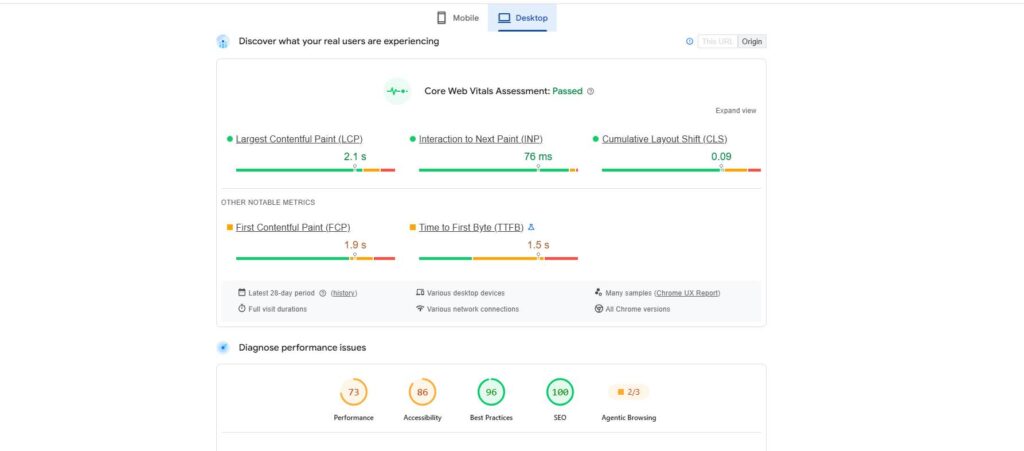
- Core Web Vitals — a specific set of measurable performance metrics Google uses to evaluate real-world user experience, factoring directly into search rankings.
- Largest Contentful Paint (LCP) — measures how long it takes for the largest visible content element on a page (often a hero image or headline) to fully load, used as an indicator of perceived loading speed.
- Interaction to Next Paint (INP) — measures how responsive a page is to user interactions (clicks, taps, key presses), assessing how quickly the page visually responds once a user attempts to interact with it.
- Cumulative Layout Shift (CLS) — measures unexpected visual movement of page elements as a page loads, capturing the frustrating experience of a page shifting content around after a user has already started trying to interact with it.
- Time to First Byte (TTFB) — measures how quickly a server begins responding to a request, an early indicator of overall server and hosting performance.
- Lazy loading — a technique where images or other resources only load as a user scrolls to them, rather than all at once when a page first loads, improving initial load speed.
Why This Category Matters in Practice
A media publisher running numerous embedded ads and tracking scripts might have visually appealing, content-rich pages that nonetheless perform poorly on Core Web Vitals — a high Cumulative Layout Shift score, for instance, if ad units load and shift page content after the user has already begun reading, or a poor Interaction to Next Paint score if heavy background scripts delay the page’s responsiveness to clicks. Since these specific metrics factor directly into search rankings, addressing them isn’t purely a user experience nicety — it has a direct, measurable relationship to organic search performance.Structured Data and Schema Markup
Core Terms in This Category
- Structured data — a standardized format for providing explicit information about a page’s content directly within its code, helping search engines (and increasingly AI-driven answer systems) accurately interpret what a page represents.
- Schema markup — the specific vocabulary and format (based on a shared standard called Schema.org) used to implement structured data, covering a wide range of content types — products, reviews, recipes, events, FAQs, and more.
- Rich results (rich snippets) — enhanced search result listings that display additional visual information (star ratings, pricing, images) beyond a standard text listing, often made possible specifically through properly implemented structured data.
- JSON-LD — the most commonly recommended technical format for implementing structured data, embedded within a page’s code in a way that’s readable by search engines without altering the page’s visible content or design.
Why This Category Matters in Practice
An online retailer implementing product schema markup — explicitly labeling price, availability, and review ratings in structured data — often becomes eligible for enhanced search listings showing star ratings and pricing directly in search results, which tends to improve click-through rates compared to a standard, unenhanced listing appearing alongside it for the same search term, even if both pages might otherwise rank in similar positions.Duplicate Content and Redirects
Core Terms in This Category
- Duplicate content — identical or substantially similar content appearing across multiple URLs, either within the same site or across different domains, which can confuse search engines about which version should rank and potentially dilute ranking signals across multiple competing versions.
- 301 redirect — a permanent redirect instruction telling search engines and browsers that a page has moved permanently to a new URL, passing along the vast majority of the original page’s accumulated SEO value to the new destination.
- 302 redirect — a temporary redirect, signaling that a move is not permanent, generally not intended to pass along ranking authority the way a 301 redirect does, since it implies the original URL will be used again.
- Redirect chains — a sequence of multiple redirects pointing from one URL to another to another, which can slow page load time and potentially dilute the SEO value passed through each successive redirect hop.
- 404 error — a status code indicating a requested page could not be found, typically because it’s been removed or the URL is incorrect.
Why This Category Matters in Practice
A business undergoing a website redesign that changes its URL structure without implementing proper 301 redirects from old URLs to their new equivalents risks losing a significant share of its previously accumulated search rankings and referral traffic, since search engines and external sites that had indexed or linked to the old URLs will encounter broken links or 404 errors rather than being properly redirected to the equivalent new content.Mobile and Technical Accessibility
Core Terms in This Category
- Mobile-first indexing — Google’s practice of primarily using the mobile version of a website’s content for indexing and ranking purposes, reflecting how the majority of searches now occur on mobile devices.
- Responsive design — a website design approach where layout and content adapt fluidly across different screen sizes, generally the preferred technical approach for supporting mobile-first indexing well.
- Viewport meta tag — a piece of code instructing browsers how to control a page’s dimensions and scaling on different devices, essential for proper mobile display.
- HTTPS/SSL — the secure, encrypted protocol for transmitting data between a browser and a website’s server, considered both a baseline security requirement and a minor ranking factor.
Site Speed and Rendering Terms
Core Terms in This Category
- Render-blocking resources — scripts or stylesheets that must fully load before a browser can display a page’s visible content, often a significant contributor to slow perceived load times if not managed carefully.
- Server-side rendering (SSR) — a technical approach where a page’s content is fully generated on the server before being sent to a browser, generally considered more favorable for SEO than approaches relying heavily on client-side rendering, since search engine crawlers can more reliably and immediately access fully rendered content.
- Client-side rendering (CSR) — an approach where a significant portion of a page’s content is generated dynamically in the browser using JavaScript after the initial page load, which can sometimes create challenges for search engines properly crawling and indexing that content if not implemented carefully.
- Content Delivery Network (CDN) — a distributed network of servers that deliver website content from a server location geographically closer to a given visitor, reducing load times, particularly valuable for websites serving visitors across a wide geographic area.
International and Multi-Language SEO Terms
Core Terms in This Category
- Hreflang tags — HTML attributes indicating the language and, optionally, the regional targeting of a specific page, helping search engines serve the correct language or regional version of a page to the appropriate audience.
- Geotargeting — configuring a website or specific content to target visibility toward a particular country or region, whether through hreflang tags, country-specific domains, or other technical signals.
Why This Category Matters in Practice
A hospitality brand operating properties across multiple countries, with separate language versions of its website for each market, needs properly implemented hreflang tags to ensure a searcher in France is served the French-language version of the site in search results, rather than an English-language version that technically exists on the same domain but isn’t the intended match for that specific searcher’s language and location.Log Files and Crawl Analysis
Core Terms in This Category
- Server log files — records maintained by a website’s server documenting every request made to it, including visits from search engine crawlers, providing detailed insight into exactly how and how often search engines are actually crawling a site.
- Log file analysis — the practice of reviewing server log files specifically to understand crawler behavior, identify pages being crawled excessively or not at all, and diagnose crawl budget issues on larger websites.